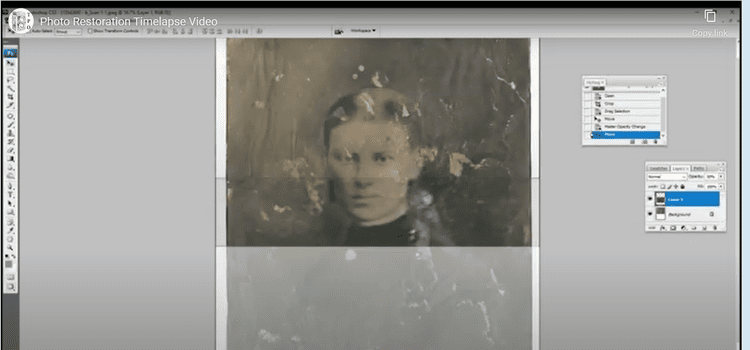
Digital Photo Restoration
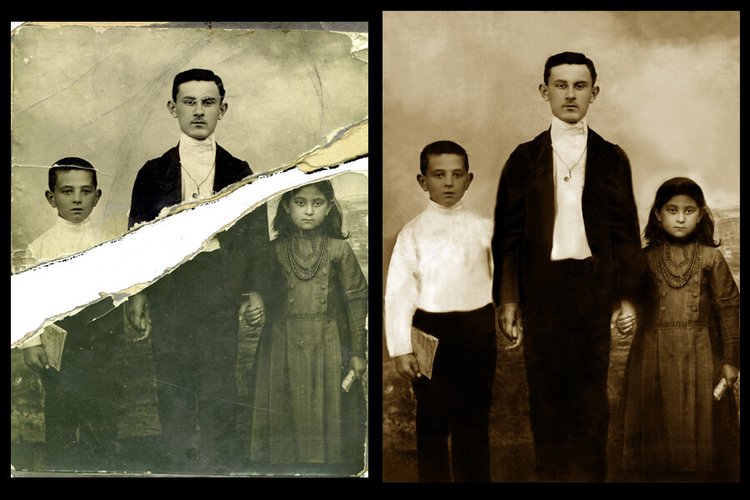
Cherished photo memories fading and cracking with age? We can help them become new.

“The best thing about a picture is that it never changes, even when the people in it do.”
Cherished photo memories fading and cracking with age? We can help them become new.
But pictures Do! Do you have a cherished memory captured in a photo that has aged or damaged through the years?
Make that photo as vivid as your memory!
The Picture Org(anizer) can digitally restore your photo and create a new archival quality print you can be proud to share and give as a gift for your Valentine's Day sweetie!
Your printed photos and memorabilia should be stored away from light and dust in archival containers and located in the main part of the house, with average room temperatures and low humidity. Avoid basements, attics, and garages – your photos should live where you live. #SaveYourPhotos2020
Metadata is information that is digitally attached to your images and can help identify key information. This data makes it easier for you to search for your images and helps tell the story of the photo. Photo organizing software allows you to embed this information into your image files. #SaveYourPhotos2020
Use the 3-2-1 backup strategy to safeguard your digital files. Create THREE copies of your digital data (photos, videos, documents, etc.) stored on TWO different types of media or devices (a computer and an external hard drive, for example), with ONE copy located off-site (another physical location or the cloud). #SaveYourPhotos2020
Your digital photo hub is a designated location, such as an external hard drive, where all your original digital and scanned photos live. Copy your digital photos and videos from all your various devices including phones, camera cards, USB sticks, etc. Then begin to sort by date or theme, or whichever organizing structure you've determined. As you scan prints, add those image files to the hub. #SaveYourPhotos2020
Do you have too many duplicate images cluttering your photo collection? There's an app for that! Use a duplicate finder to locate and eliminate duplicate and near-duplicate images. #SaveYourPhotos2020
How should you organize your photos? There is no right or wrong way, just whatever makes sense to you. If you already have some chronology in place, look for ways to build on that structure. If your photos are unsorted, start organizing by theme: holidays, vacations, kids sports, etc. #SaveYourPhotos2020
Tackle your digital photo collection first. Your images may be at greater risk than your printed photo collection if you don't have sufficient backups in place. You will also be creating a home for your soon-to-be scanned photos. #SaveYourPhotos2020
Preparing a family timeline aids in the sorting process as you begin to tackle your photo and video collection. Begin by plotting significant milestones like marriage or birth dates. Then add school years, moves, vacations, and other details. #SaveYourPhotos2020